A site won’t open. The page keeps loading, or your browser shows an error. Before you restart your router or email the owner, find out one thing first: is it down for everyone, or just me?
The answer decides what to do next. If it’s down everywhere, the problem is on the website’s side, and there’s little you can do but wait. If it works for everyone else, the problem sits somewhere between you and the site: your device, your network, your DNS or your country. This guide shows how to tell the difference in a few minutes, and what the results mean.
Step 1: Rule out your own device
These checks take about two minutes and catch most “it’s broken for me” problems:
- Open the site in a private or incognito window. If it loads there, a browser extension or old saved data was the problem.
- Try another browser, or another device on the same network.
- Switch networks. Turn off Wi-Fi on your phone and load the site on mobile data. If it works on mobile data but not at home, the issue is your home network or your internet provider, not the website.
- Turn off your VPN, proxy or ad blocker for a moment. Some sites block VPN addresses, and some blockers stop pages from loading properly.
- Clear your DNS cache. Your computer remembers which server address a site lives at. If the site moved recently, your computer may still be using the old address.
To clear the DNS cache:
Windows (Command Prompt):  ipconfig /flushdns
macOS (Terminal):         sudo dscacheutil -flushcache; sudo killall -HUP mDNSResponder
Chrome:                   open chrome://net-internals/#dns and click "Clear host cache"
Step 2: Check the site from outside your network
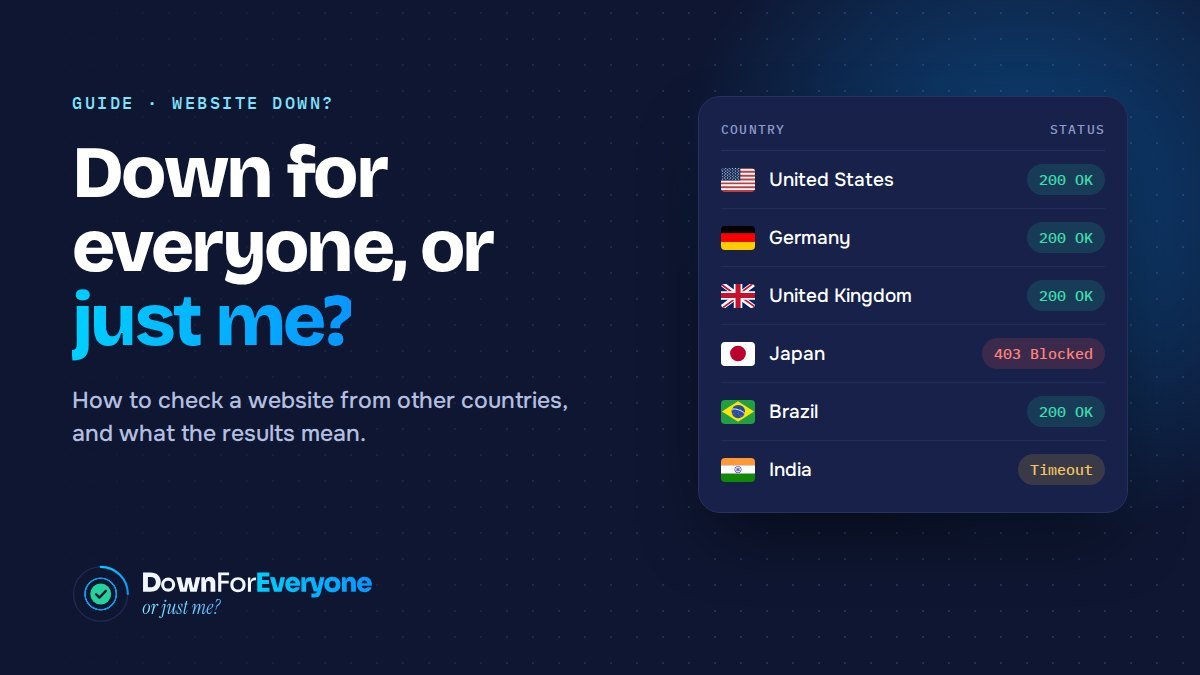
If the site still won’t load, check it from somewhere else. A website checker opens the address from its own servers and reports what came back. A checker that tests from a single place tells you whether the site works there. Testing from many countries at once tells you much more: whether the site is down everywhere, or only in some places.
The results usually fall into one of three patterns:
| What you see | What it means |
|---|---|
| It fails from every country | The site is down. The problem is its server, hosting or DNS, and only the owner can fix it. |
| It works everywhere, but not for you | The problem is local: your device, your network, your internet provider or your DNS server. |
| It works in some countries and fails in others | A regional problem. This is the one most people miss, and the most common causes are explained below. |
What the status codes mean
Each test returns an HTTP status code, the three-digit number the server sends back. Here is how to read the ones you’ll see most often:
| Code | What it means |
|---|---|
| 200 OK | The page loaded normally. |
| 301 / 302 Redirect | The site sent the visitor to another address. Normal, unless it loops or sends people to the wrong country’s site. |
| 403 Forbidden | The server refused the request. If it happens in only some countries, it’s almost always a firewall or geo-blocking rule. |
| 404 Not Found | The server works, but that page doesn’t exist at that address. |
| 429 Too Many Requests | The site is limiting traffic, often as part of its bot protection. |
| 500 Internal Server Error | Something broke in the site’s code or server. |
| 502 / 504 Bad Gateway, Gateway Timeout | A service in front of the site, such as a CDN or proxy, couldn’t get an answer (or a quick enough answer) from the server behind it. |
| 503 Service Unavailable | The server is overloaded or in maintenance mode. |
| 521–524 | Cloudflare errors. Cloudflare is working, but it can’t reach the site’s own server, or the server took too long to answer. |
| Timeout | Nothing came back at all. The server is down, the connection is blocked, or the network route to it is broken. |
| DNS error | The domain name couldn’t be turned into a server address. The domain may have expired, the DNS records may be wrong, or a recent change hasn’t spread yet. |
| SSL / certificate error | The site’s security certificate has expired, is invalid, or doesn’t match the domain. |
A 200 doesn’t always mean visitors see the page. A site can return 200 and still show a blank screen, a cookie wall or a “not available in your region” message. That’s why it helps to look at a screenshot from each country, not just the code.
Why a site can be down in only some countries
When a site works in most countries and fails in a few, one of these is usually the reason:
Geo-blocking and firewall rules
Site owners, hosting companies and security plugins can block whole countries. Sometimes it’s on purpose: licensing limits, sanctions, or avoiding local laws (some US news sites blocked visitors from the EU for years after GDPR). Often it’s an accident, such as a country rule added during an attack and never removed, or a security plugin that blocked a country automatically.
A problem at one CDN location
Content delivery networks (CDNs) such as Cloudflare serve visitors from the data center nearest to them. If one location has a problem, visitors in that region get errors while the rest of the world sees the site normally.
DNS changes still spreading
After a site moves to a new host or its DNS records change, DNS servers around the world keep the old answer until it expires. This usually takes minutes to a few hours, and up to 48 hours in some cases. During that time some countries reach the new server and some still reach the old one.
Blocking by internet providers or governments
Some countries block certain websites for everyone on their networks. From inside the country the site looks down; from anywhere else it works.
Network routing problems
Traffic crosses many networks on its way to a server. If a link between a region and the site’s hosting company breaks, visitors in that region can’t get through, even though the server itself is fine.
Bot protection that is too strict
Anti-bot services sometimes challenge or block all traffic from particular regions or networks. Real visitors from those places end up stuck on a challenge page.
If it’s your website
Work through these in order. After each fix, test again from the same countries to confirm it worked:
- Check the status pages of your hosting company and CDN for known outages.
- Review your firewall and security plugin for country rules and recent blocks, including rules you may have forgotten.
- Check your DNS records (A, AAAA and CNAME) and when you last changed them.
- Check your SSL certificate’s expiry date. Expired certificates are one of the most common causes of sudden “site down” reports.
- Read your server’s error log if you see 500-range errors.
- Test again from the same countries to confirm the fix, and keep the report to show your client or host.
If you’re only visiting
- If it’s down everywhere, wait and try again later. Big outages are usually fixed within hours.
- If it’s only your network, restart your router, or switch your DNS to a public service such as Cloudflare (1.1.1.1) or Google (8.8.8.8).
- If the site is blocked in your country, contact the site owner. They may not know.
Frequently asked questions
Why does a website work on mobile data but not on Wi-Fi?
Mobile data uses a different internet provider and usually different DNS servers. If a site works on mobile data but not on Wi-Fi, the problem is your home network, your router or your internet provider, not the website.
How long does DNS take to update?
It depends on the TTL (time to live) set on the DNS records. Most changes are visible everywhere within a few hours; some take up to 48 hours.
Can a website be down in just one country?
Yes. Firewall rules, CDN problems, DNS changes, national blocking and routing problems can all make a site fail in one country while it works everywhere else. Testing from several countries at once is the quickest way to spot it.
Does a VPN help if a site is down?
Only if the problem is regional. A VPN makes your traffic come from another country, so it can get around a country block or a local network problem. If the site is down everywhere, a VPN won’t help.
Check your site from 44 countries
DownForEveryone loads your page from real servers in up to 44 countries at once. You get the status code, load time and server address for each country, plus screenshots of what visitors there actually see. Run a free test and get the answer in about a minute.